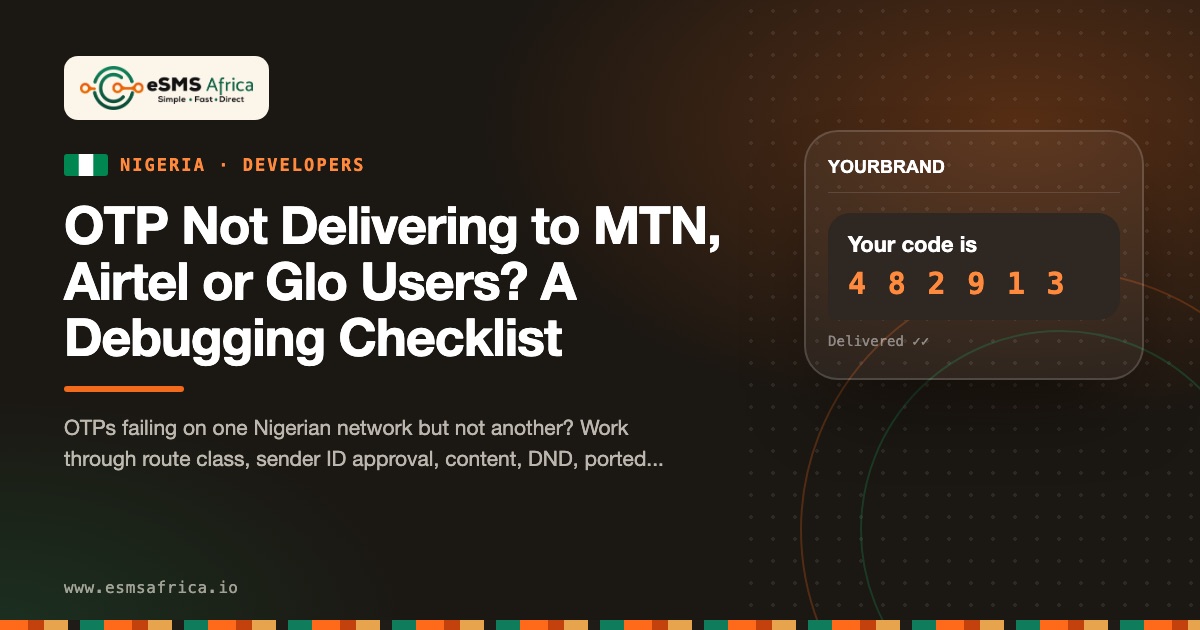
When OTPs fail to reach MTN, Airtel, Glo or T2 users in Nigeria, the cause is usually one of five things: the wrong route class, a sender ID not approved on that network, promotional wording in the OTP text, a number that has ported to another network, or your own resend logic. Delivery reports tell you which, if you read them correctly.
Last reviewed: 27 October 2026
Work through this checklist in order. Each step either rules a cause out or points you to the fix.
Step 1: Read the delivery status first
Before changing anything, look up the message. Every eSMS message has a status, available in the dashboard, by API and by delivery webhook:
curl https://sms.esmsafrica.io/api/messages/MESSAGE_ID \
  -H "Authorization: Bearer esms_live_your_api_key"
| Status | Meaning | What it tells you about an OTP problem |
|---|---|---|
queued | Accepted and queued for sending | Stuck here means a problem on your account (for example balance), not the network |
scheduled | Waiting for a scheduled send time | OTPs should never be scheduled; check your code is not passing a send time |
submitted | Accepted by the gateway | On its way to the network |
sent | Accepted by the carrier, awaiting a handset receipt | The network has it. A long wait here often means the handset is off or out of coverage |
delivered | Delivery confirmed by the handset | The SMS arrived. If the user says it did not, check spam folders on the phone and the number they typed |
retrying | A failed attempt is being retried | A temporary failure; avoid triggering a second OTP on top |
failed | Failed or rejected | Unreachable number, gateway or network rejection, or insufficient balance. Read the reason |
Set a delivery webhook rather than polling; our delivery reports guide shows how. Then group failures by network. If failures cluster on one network, the cause is almost always step 2 or 3.
Step 2: Check the route class and sender ID approval
Nigerian networks separate transactional traffic from promotional traffic. OTPs must go on the transactional (corporate) route with a sender ID approved for that class on each network. Common failure patterns:
- Approved on three networks, not the fourth. Approvals are per network, so an ID cleared on MTN and Airtel may still be pending on Glo or T2. Failures will cluster on that network.
- Promotional sender ID used for OTPs. Promotional traffic is filtered against DND, so OTPs sent on a promotional ID silently fail for every user on DND.
- Unregistered or generic ID. Generic names such as "OTP", "INFO" or "VERIFY" are typically rejected.
eSMS Africa handles registration with each network; the Nigeria sender ID page lists the steps. With Verify, a 403 sender_not_approved error tells you immediately that the ID is not cleared for the destination country.
Step 3: Remove promotional wording from the OTP
Networks inspect content on the transactional route. An OTP that reads like an advert can be filtered or reclassified. Avoid:
- Offers or prices: "Get 10% off your first transfer"
- Calls to action unrelated to the code: "Download our new app"
- Multiple links, or shortened links from public shorteners
A safe OTP looks like this: "Your PayNa code is 482913. It expires in 5 min. Never share it." Brand, code, expiry, warning. Nothing else.
Step 4: Rule out DND confusion
DND (STOP to 2442, or partial DND by category) only filters promotional traffic, so it should not block OTPs on a transactional ID. If you see OTP failures only for users who say they are "on DND", that is a strong sign your OTP sender ID is classed as promotional on at least one network. Our DND guide explains the categories.
Step 5: Handle ported numbers and number format
Nigerian numbers can be ported between networks, so a prefix such as 0803 no longer guarantees the subscriber is on MTN. If you route or price by prefix in your own code, a ported number can be sent down the wrong path. Send every number in international format (+234 followed by the number without the leading zero) and let the provider route it.
Also check input handling. Users often type 0803..., 803..., 234803... or include spaces. Normalise to +234 before you call the API, and reject numbers that are the wrong length.
Step 6: Review your resend logic
Impatient users tap "resend" quickly, and each tap sends a new code that invalidates the previous one. The user then types the first code, which no longer works, and reports "OTP not delivering". Good practice:
- Wait 30 to 60 seconds before enabling the resend button, and show a countdown.
- Resend the same verification rather than starting a new one, so limits and attempts stay attached to it.
- Cap total sends per number. eSMS Verify allows up to four sends per verification (the original plus three resends) and returns
429 too_many_requestsafter five starts for one number in an hour. - Use an
Idempotency-Keyheader so a retried HTTP request does not send a second code.
// Start a verification with eSMS Verify (Node 18+)
const res = await fetch("https://sms.esmsafrica.io/v1/verify/start", {
  method: "POST",
  headers: {
    "Authorization": "Bearer " + process.env.ESMS_API_KEY,
    "Content-Type": "application/json",
    "Idempotency-Key": "login-" + sessionId
  },
  body: JSON.stringify({ to: "+2348031234567", app_id: "vera_your_app_id" })
});
const v = await res.json();
if (res.status === 429) {
  // more than 5 starts for this number in the last hour
} else if (res.status === 403 && v.code === "sender_not_approved") {
  // sender ID not approved for Nigeria
}
// later: POST /v1/verify/check { verification_id: v.verification_id, code }
Verify generates the code, stores it hashed, expires it and checks it, so you do not build that logic yourself. The full flow is in the OTP sending guide.
Step 7: Check for abuse before blaming the network
A sudden spike in OTP requests to numbers that never complete verification often means SMS pumping: bots requesting codes to premium or unused ranges. Pumped traffic can exhaust your balance and push genuine users into rate limits. Look at conversion (verified divided by started) per hour; a sharp drop with a rise in sends is the warning sign. Add device and IP limits on your side in addition to Verify's per-number limits.
Quick triage table
| Symptom | Most likely cause | Fix |
|---|---|---|
| Failures on one network only | Sender ID not approved there, or classed as promotional | Check approval status per network |
| Failures only for some users on every network | Wrong number format, ported number handling, or handset issue | Normalise numbers; check DLR reasons |
| Status "delivered" but user says no code | User typed a different number, or an older code | Show the masked number on screen; resend the same verification |
| Sudden surge of sends, few verifications | SMS pumping | Rate-limit by device and IP; block suspicious ranges |
What to send support if you are still stuck
If the checklist does not find the cause, contact support with enough detail to trace the messages quickly: three or four message IDs that failed, the networks involved, the sender ID, the exact OTP text and the time window. With message IDs, the support team can follow each message from your request to the network response instead of guessing from a description.
Frequently asked questions
Why do OTPs reach MTN users but not Glo users?
Most often the sender ID is approved on MTN but still pending, or approved for a different traffic class, on Glo. Approvals are per network. Check failures grouped by network in your delivery reports.
Does sending STOP to 2442 block OTPs?
It should not, because DND filters promotional traffic and OTPs belong on the transactional route. If OTPs fail only for DND users, your sender ID is probably being treated as promotional.
How long should an OTP be valid?
Five minutes is a common default and is Verify's default. Shorter windows frustrate users when the network is slow; much longer windows give attackers more time.
Am I charged for failed Verify sends?
If Verify returns 502 otp_send_failed, the code could not be sent and you are not charged. Check current prices on the pricing page.
Sources
- eSMS Africa docs - Delivery reports
- eSMS Africa docs - Verify
- NCC - Do-Not-Disturb (DND) service in Nigeria
- The Guardian Nigeria - New name, new vibe as 9mobile rebrands to T2
Need OTPs that reach users on every Nigerian network? Read more on OTP SMS in Nigeria and our fintech guide, then sign up for eSMS Africa and test the flow with a free test key.